DOCUBIRD
Sign in Start free
Docubird for Marketing and web agencies

Retainers and sign-offs without the email chase

Proposals, retainers and statements of work move fast in an agency. Docubird sends them to the client’s decision-maker in the right order, shows who hasn’t opened them, and keeps a sealed copy for when scope gets questioned.

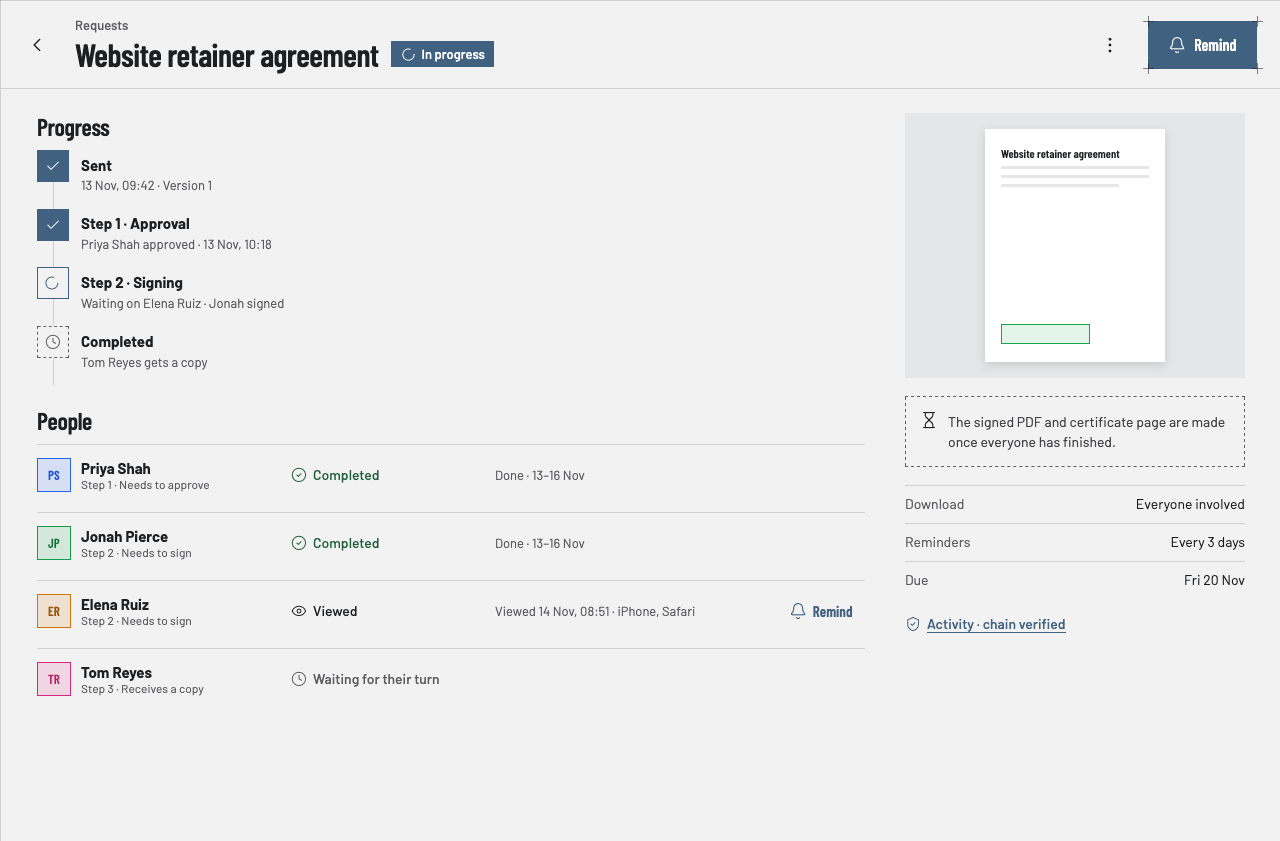
A website retainer agreement in progress, approved by the client lead and waiting on one signer
What you send

Documents agencies sign with Docubird

  • Proposals
  • Monthly retainers
  • Statements of work
  • Change requests
  • NDAs
  • Freelancer contracts
Common scenarios

Where the paperwork usually gets stuck

01

A retainer that needs the client’s finance lead first

The situation

Your contact loves the proposal, but finance has to approve the budget before the director signs. Usually that means forwarding PDFs and asking “has anyone looked yet?”

With Docubird

Put the finance lead in step 1 as an approver and the director in step 2. The director isn’t asked until finance approves, and you see each step tick over on the request page.

Who signs, in order
  1. 1
    Step 1
    PSPriya ShahNeeds to approve
  2. 2
    Step 2
    JPJonah PierceNeeds to sign
  3. 3
    Step 3
    YAYour account managerReceives a copy
02

Scope changes halfway through a project

The situation

The client wants extra pages. You need a signed change before the team starts, not a thumbs-up in chat.

With Docubird

Write the change in the editor, send it to the same people, and keep each version. If the client asks for edits, they request changes, you update it, and it carries on from there.

Who signs, in order
  1. 1
    Step 1
    CLClient leadNeeds to approve
  2. 2
    Step 2
    CDClient directorNeeds to sign
03

Bringing a freelancer onto a client project

The situation

A freelance developer needs a contract and an NDA before they see the client’s files, often at short notice.

With Docubird

Save both as templates and send them together in minutes. They sign on their phone from the email, with no account to create.

Who signs, in order
  1. 1
    Step 1
    FDFreelance developerNeeds to sign
  2. 2
    Step 2
    SDStudio directorNeeds to sign
What gets lighter

Less admin, fewer chasers

BeforeWith Docubird
Forwarding PDFs between client contacts Steps send it to the next person automatically
Asking whether the client has seen it “Viewed 14 Nov, 08:51 · iPhone” on the request page
Hunting for the signed version when scope is disputed A sealed PDF with a certificate page, kept in Documents
Re-typing the same retainer every month Templates with a field for each person (paid plans)
Questions

Agencies: good to know

Can the client’s finance team approve before anyone signs?+

Yes. Add them as an approver in step 1. Signers in later steps are only asked once step 1 is done.

Can a client ask for changes to a proposal?+

If you wrote the document in the Docubird editor, approvers can request changes. You edit it, publish a new version and the request continues.

Do clients need to sign up?+

No. They sign from the link in their email on any phone or computer.

Related industries

All industries

Spend the time on the work, not the paperwork.

Three free signing requests every month. Your signers never need an account.

Send your first request free