DOCUBIRD
Sign in Start free
Docubird for Recruitment agencies

Candidates contracted before the start date, not after

Placements fall apart over paperwork delays. Docubird gets client terms, candidate contracts and contractor agreements signed on the candidate’s phone, and shows your consultants what’s still outstanding.

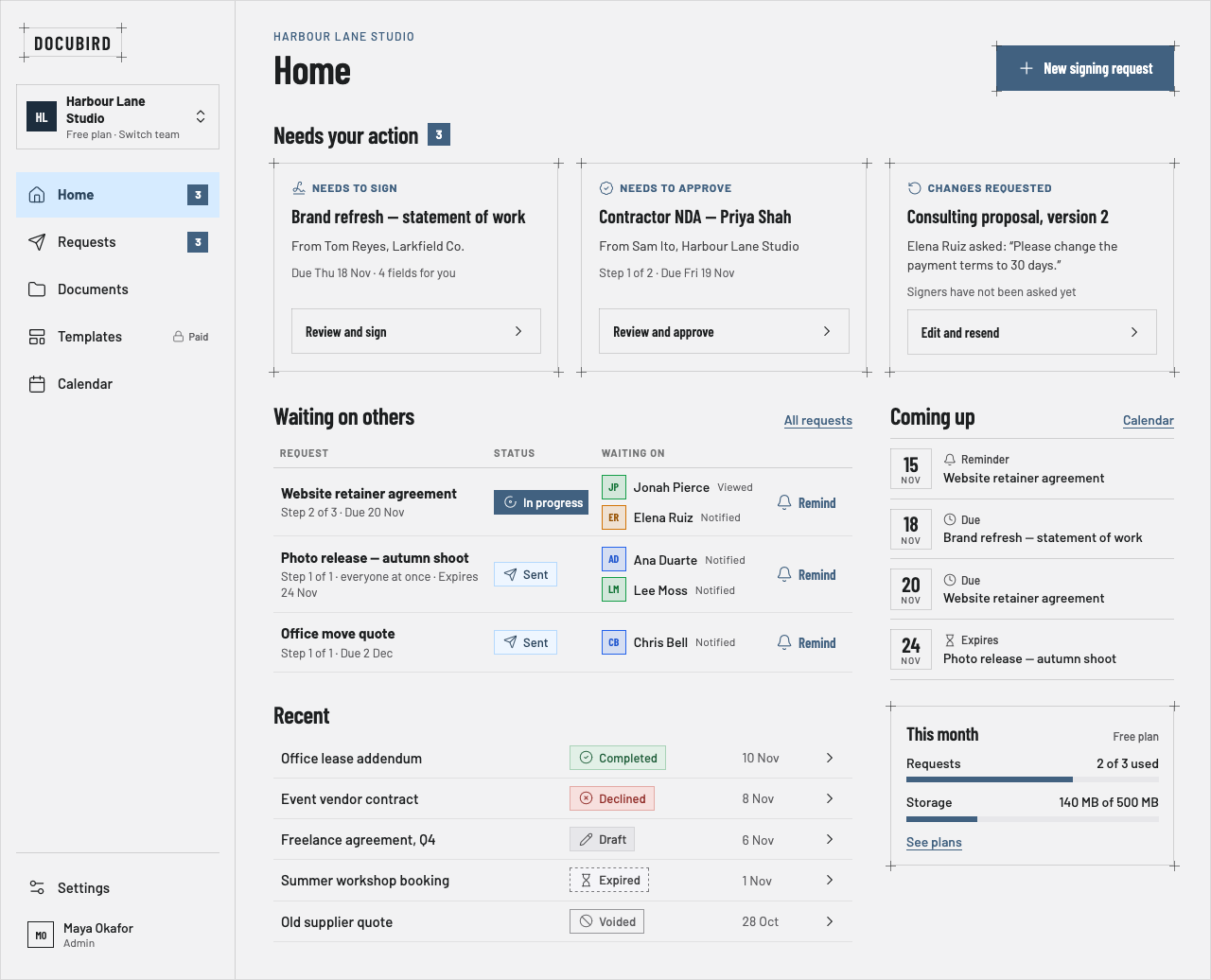
Docubird Home listing requests that need action, who the team is waiting on and upcoming due dates
What you send

Documents recruitment sign with Docubird

  • Client terms of business
  • Candidate contracts
  • Contractor agreements
  • Offer letters
  • Right-to-work declarations
  • Opt-out forms
Common scenarios

Where the paperwork usually gets stuck

01

A Monday start, and the contract went out on Friday

The situation

The candidate is at a wedding all weekend. Without a signed contract, they can’t start.

With Docubird

They sign on their phone in two minutes. Your consultant sees “Completed” on Home before Monday morning.

Who signs, in order
  1. 1
    Step 1
    CCandidateNeeds to sign
  2. 2
    Step 2
    RCRecruitment consultantReceives a copy
02

New client terms that need two signatures

The situation

The hiring manager agrees, but HR must approve the terms before a director signs.

With Docubird

HR approves in step 1, the director signs in step 2. If HR wants changes, they decline with a reason you can act on.

Who signs, in order
  1. 1
    Step 1
    CHClient HRNeeds to approve
  2. 2
    Step 2
    CDClient directorNeeds to sign
  3. 3
    Step 3
    AMAccount managerReceives a copy
03

A team of consultants sending the same contract

The situation

Ten consultants, slightly different versions of the contract and no idea which is current.

With Docubird

One template for the whole team, with the fields already placed. Everyone sends the same current version.

Who signs, in order
  1. 1
    Step 1
    CContractorNeeds to sign
  2. 2
    Step 2
    CLCompliance leadCan view
What gets lighter

Less admin, fewer chasers

BeforeWith Docubird
Placements delayed by paperwork Candidates sign from their phone the same day
Old contract versions in circulation One shared template for the team (paid plans)
Not knowing what’s outstanding Home shows what needs action and who you’re waiting on
Proving who agreed to what A certificate page for every signed document
Questions

Recruitment: good to know

Can the whole team share templates?+

Yes. Templates are available to your team on paid plans.

Can we control who downloads signed contracts?+

Choose Everyone involved, Sender’s team only, or Only people granted access.

Can a client decline the terms?+

Yes. Approvers and signers can decline with a reason, and you see it on the request.

Related industries

All industries

Spend the time on the work, not the paperwork.

Three free signing requests every month. Your signers never need an account.

Send your first request free