DOCUBIRD
Sign in Start free
Docubird for Event planners and venues

Every supplier and client signed up before the big day

One event can mean a client contract, a venue hire agreement and a dozen supplier terms. Docubird keeps them all in one place, with due dates in a calendar and a clear list of who still needs to sign.

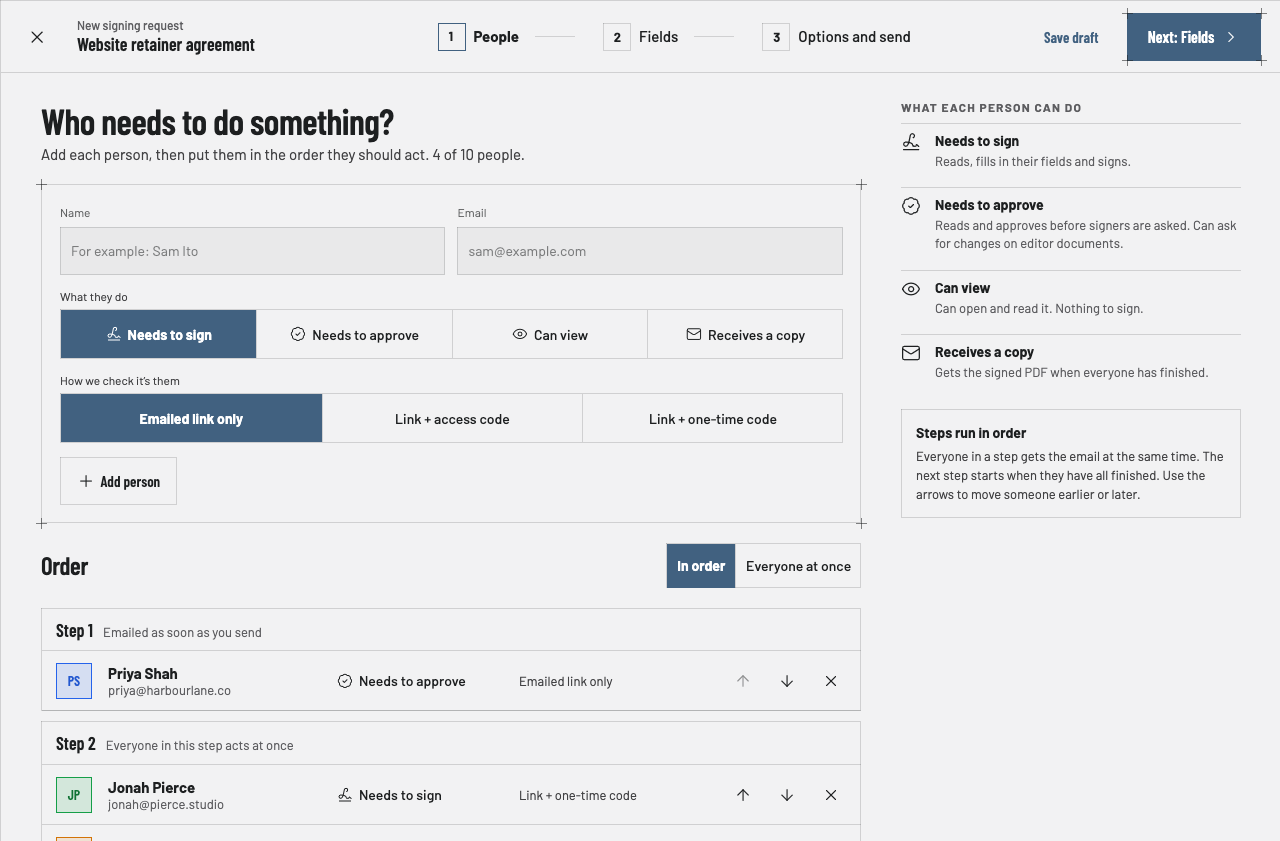
Adding the people to a signing request and putting them in steps
What you send

Documents events and venues sign with Docubird

  • Client contracts
  • Venue hire agreements
  • Supplier terms
  • Catering orders
  • Risk assessments
  • Cancellation terms
Common scenarios

Where the paperwork usually gets stuck

01

A corporate event with a finance approval

The situation

The client’s events lead signs, but finance must approve the deposit first.

With Docubird

Finance approves in step 1, the events lead signs in step 2, and your team gets a copy when it’s done.

Who signs, in order
  1. 1
    Step 1
    CFClient financeNeeds to approve
  2. 2
    Step 2
    CEClient events leadNeeds to sign
  3. 3
    Step 3
    YEYour event managerReceives a copy
02

Twelve suppliers, one deadline

The situation

Florist, caterer, AV and transport each need to sign their terms by the end of the month.

With Docubird

Send each one with the same due date. The calendar shows them together and Home lists everyone you’re still waiting on.

Who signs, in order
  1. 1
    Step 1
    SSupplierNeeds to sign
  2. 2
    Step 2
    EMEvent managerNeeds to sign
03

Last-minute changes to numbers

The situation

The guest count goes up a week before, and the caterer needs it in writing.

With Docubird

Send a short change form with a text field for the new number. Signed before lunch, sealed for your records.

Who signs, in order
  1. 1
    Step 1
    CClientNeeds to sign
  2. 2
    Step 2
    CCatererReceives a copy
What gets lighter

Less admin, fewer chasers

BeforeWith Docubird
Contracts scattered across inboxes Every request in one list with its status
Missed supplier deadlines Due dates in one calendar, with reminders
Changes agreed by phone A signed change form in minutes
Approvals stuck in client finance Approval steps that move on automatically
Questions

Events and venues: good to know

Can I see all my event deadlines in one place?+

Yes. The calendar shows due dates, reminders and expiries across all requests.

Can a copy go to my team automatically?+

Add team members as Receives a copy. They get the signed PDF when everyone has finished.

How many people can be on one request?+

Up to ten, each with their own colour.

Related industries

All industries

Spend the time on the work, not the paperwork.

Three free signing requests every month. Your signers never need an account.

Send your first request free