Proof2 min read · Updated November 2026
How to check a signed document is genuine
Every completed Docubird request ends with a sealed PDF and a certificate page. Anyone can use them to check who signed, when, and whether the file has changed since.
Find the certificate page
It’s the last page of the signed PDF. It lists everyone who took part, what they did and when.
Scan the QR code
The QR code on the certificate page opens Check this document. You don’t need an account.
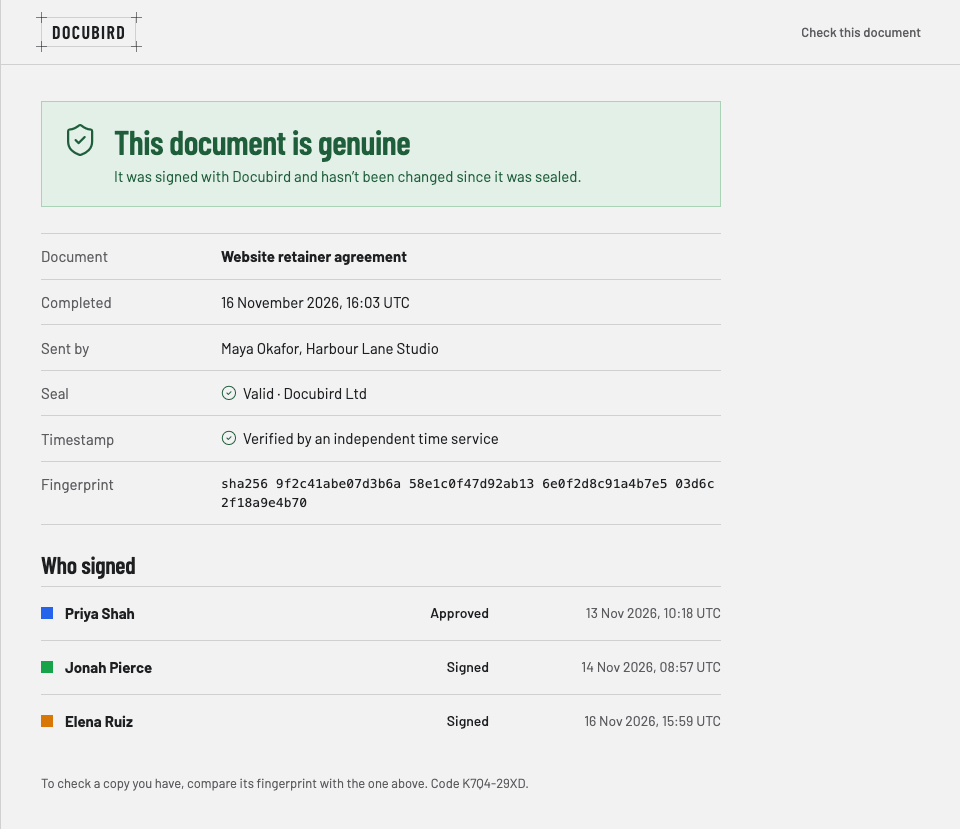
What the page tells you
Whether the document is genuine, when it was completed, who sent it, the seal, an independent timestamp, and who signed with the time of each action.
Comparing a copy
To check a copy you were sent, compare its fingerprint with the one on the page. If they match, the file hasn’t changed.
Questions
Can anyone check a document?+
Yes. The Check this document page is public.
What if the document has been changed?+
Its fingerprint won’t match the one shown on the page.