How to sign a document on your phone
Someone has sent you a document to sign with Docubird. You don’t need an app or an account. Here is what happens after you tap the link in the email.
1. Open the link
Tap the button in the email. The document opens in your phone’s browser. If the sender added an access code or a one-time code, enter it to continue.
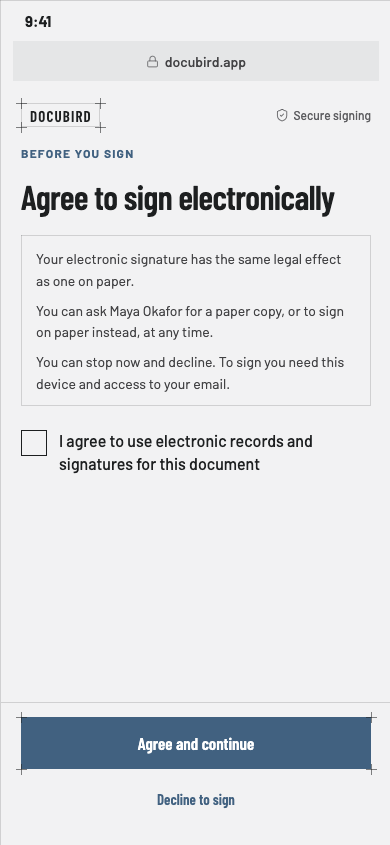
2. Agree to sign electronically
Read the short disclosure and agree. This is recorded before you can fill in anything.
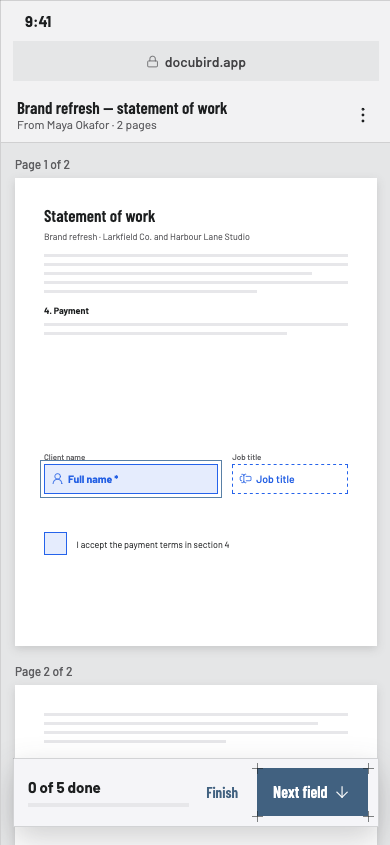
3. Read and fill in your fields
Scroll through the pages. Your fields are highlighted, and a counter shows how many are left. Required fields are marked.
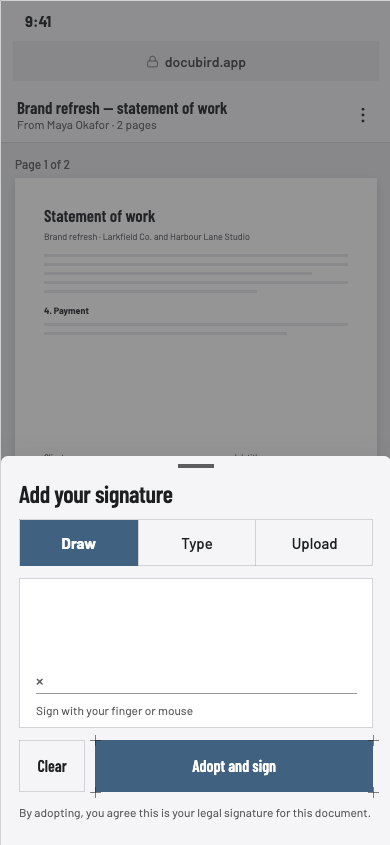
4. Add your signature
Draw it with your finger, type your name, or upload an image. Select Adopt and sign.
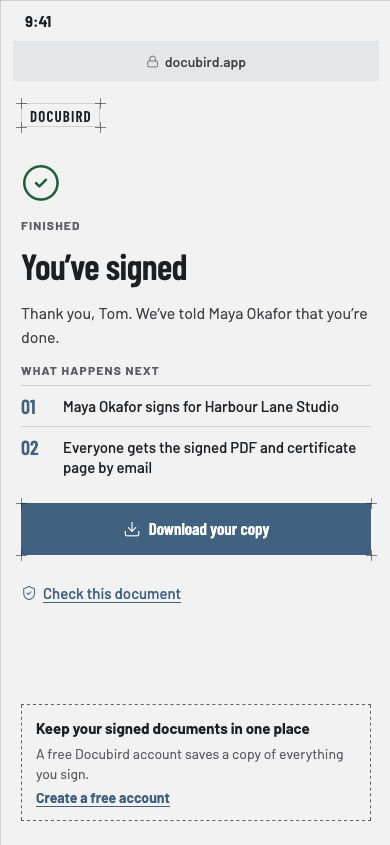
5. Finish and download
You’ll see what happens next. If the sender allows it, download your copy. Everyone gets the signed PDF and certificate page by email when the last person signs.
If you don’t want to sign
You can decline and give a reason. The sender sees it on their request page.
Questions
Do I need a Docubird account to sign?+
No. You sign from the link in your email.
Why can’t I download my copy?+
The sender controls who can download the signed document. Ask them if you need a copy.