Security2 min read · Updated November 2026
How to choose who can download the signed PDF
When a request is complete, Docubird makes a sealed PDF and a certificate page. You decide who can download them.
The three options
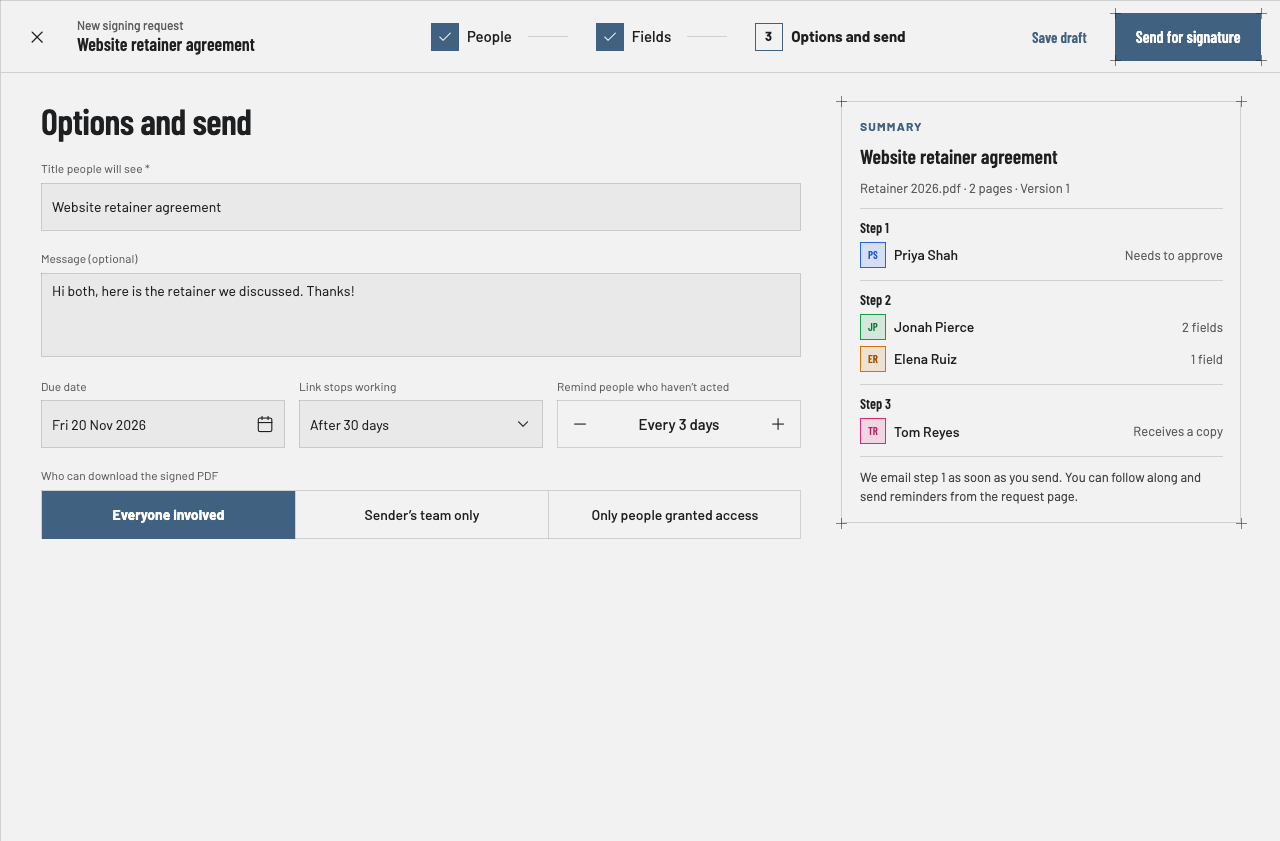
Everyone involved: every person on the request can download it.
Sender’s team only: only your team can download it.
Only people granted access: nobody can download it until you give them download access.
Where to set it
On the Options and send step, under Who can download the signed PDF.
What signers see
If they can’t download it, the finished screen says kindly: “The sender controls who can download this document.”
Questions
Can I give one person download access later?+
Yes, with Only people granted access you can grant download access to specific people.
Does this affect the Check this document page?+
No. Anyone can still check a document is genuine.