How to get a document approved before anyone signs
Some documents need a manager, finance team or client lead to approve them before they go to the signers. Docubird handles this with approvers in an earlier step.
Add an approver in step 1
On the People step, add the person who needs to approve and choose Needs to approve. Keep them in step 1. Put your signers in step 2.
What the approver can do
Approvers can approve, decline with a reason, or ask for changes. Asking for changes is offered when you wrote the document in the Docubird editor.
When changes are requested
The request shows Revision requested with the approver’s note. Edit the document in the editor, publish a new version and resend. The approver reviews it again, then the signers are asked.
Watching progress
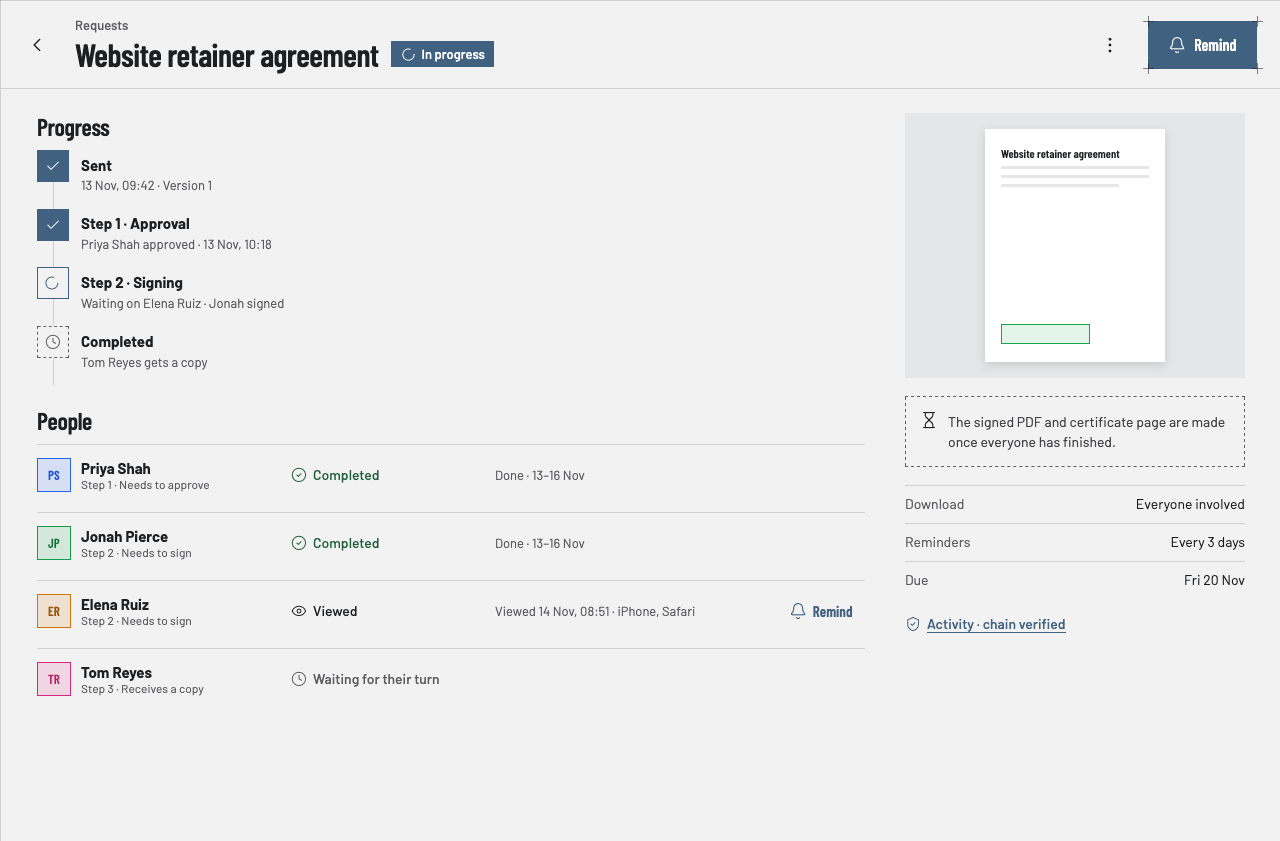
The request page shows each step ticking over, with who approved and when.
Questions
Can two people approve at once?+
Yes. Put both approvers in the same step.
Are signers notified before approval?+
No. People in later steps are only asked once earlier steps are done.